Helpβ€ΊSettingsβ€ΊWord lists & Rules (Tab details)

Word lists & Rules

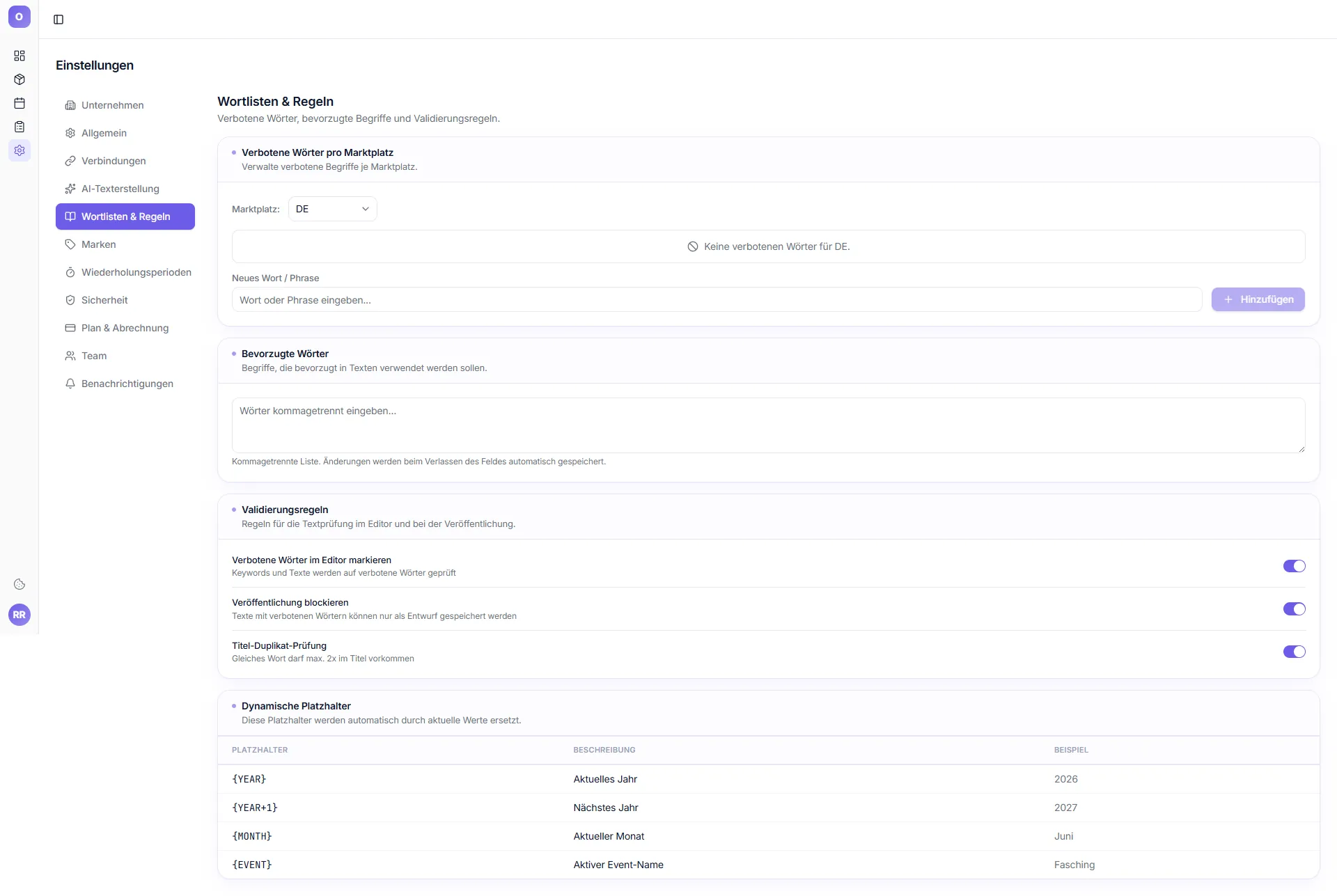
Subtitle in the tab: "Forbidden words, preferred terms and validation rules."

Forbidden words per marketplace

Section: "Manage forbidden terms per marketplace."

The "Marketplace" dropdown switches between DE / FR / IT / ES. If no custom words have been entered, the tool shows: "No forbidden words for [DE]."

Input field "New word / phrase" + "Add" button.

Preferred words

Section: "Terms that should preferably be used in texts."

Format: comma-separated list. Changes are saved automatically when you leave the field.

Validation rules (3 toggles)

RuleWhat it does
Highlight forbidden words in the editorKeywords and texts are checked for forbidden words and highlighted in the editor
Block publishingTexts with forbidden words can only be saved as a draft
Title duplicate checkThe same word may appear at most 2Γ— in the title

Dynamic placeholders

"These placeholders are automatically replaced with current values."

PlaceholderDescriptionExample
{YEAR}Current year2026
{YEAR+1}Next year2027
{MONTH}Current monthMay
{EVENT}Active event nameCarnival