Editor Layout
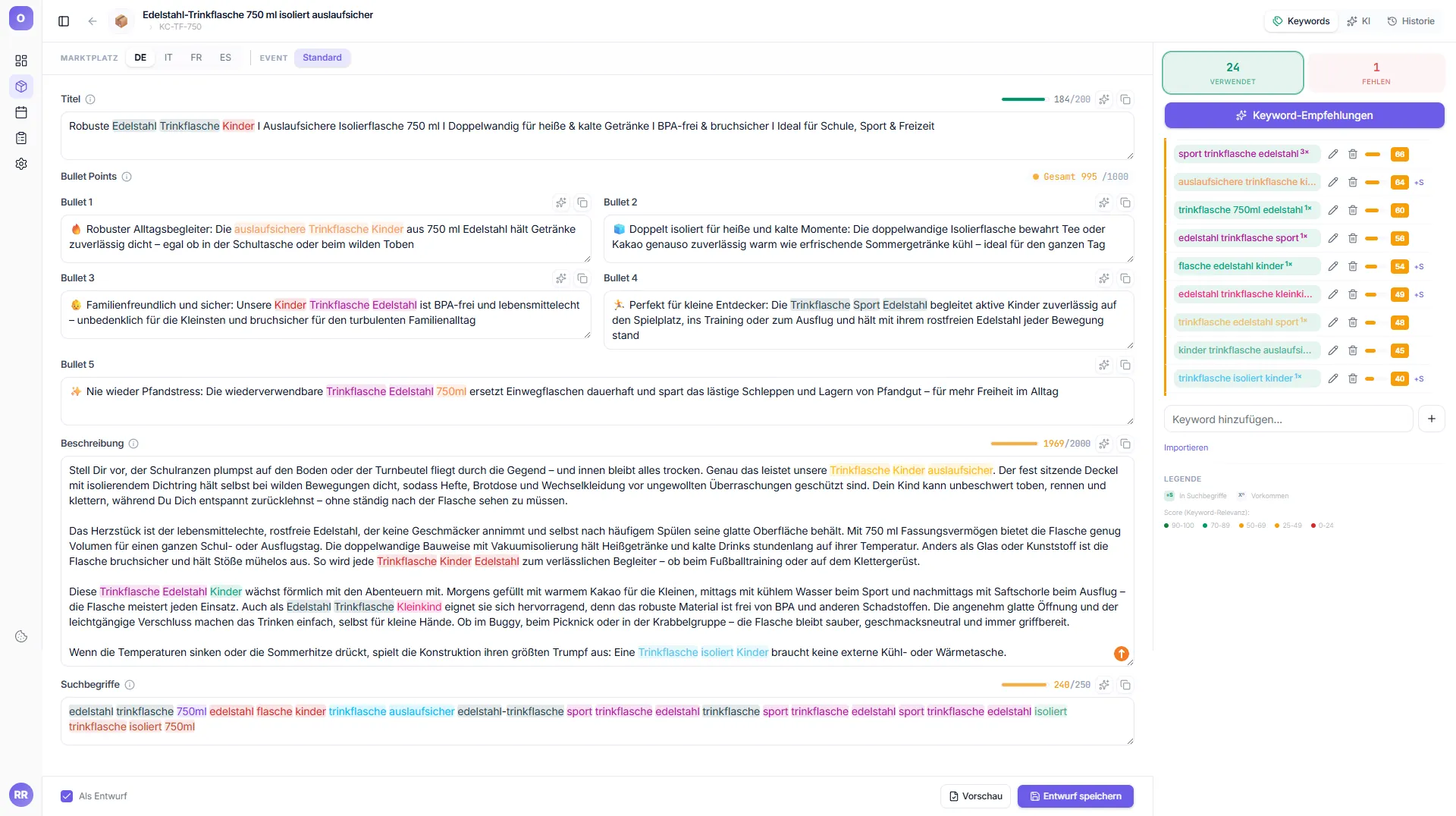
The editor is the heart of Octuno Text. It consists of three areas:
| Area | Position | Content |
|---|---|---|
| Product card | Top bar | Product name, ASIN, SKU, image |
| MARKETPLACE + EVENT tabs | Top left | Select marketplace (DE/FR/IT/ES/UK) + event variant |
| Text fields | Center | Title, 5 bullets, description, search terms |
| Panel tabs | Top right | Keywords | AI | History – toggle buttons; an active panel can be closed again by clicking it once more |
Info: The three panels (Keywords, AI, History) are implemented as toggle buttons. You can switch between them – only one is visible at a time (or none, if you collapse the active panel).
Bottom bar
At the bottom you'll find the "As Draft" checkbox, "Preview" button and the primary save button: "Save draft" (when draft mode is on) or "Save & publish".